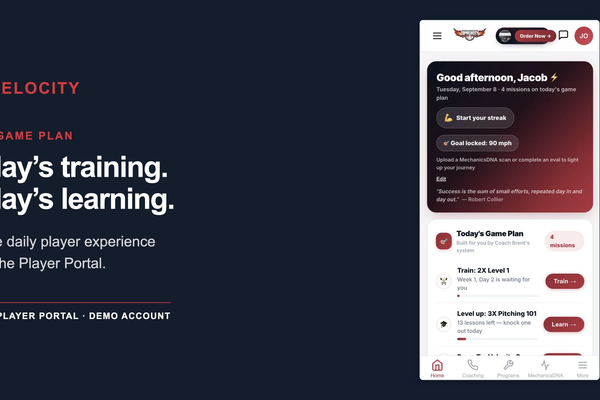
A baseball player development platform should do more than store workouts or send team messages. The most useful systems connect evaluation, training, feedback, progress tracking, and communication so athletes and coaches can make better decisions over time.
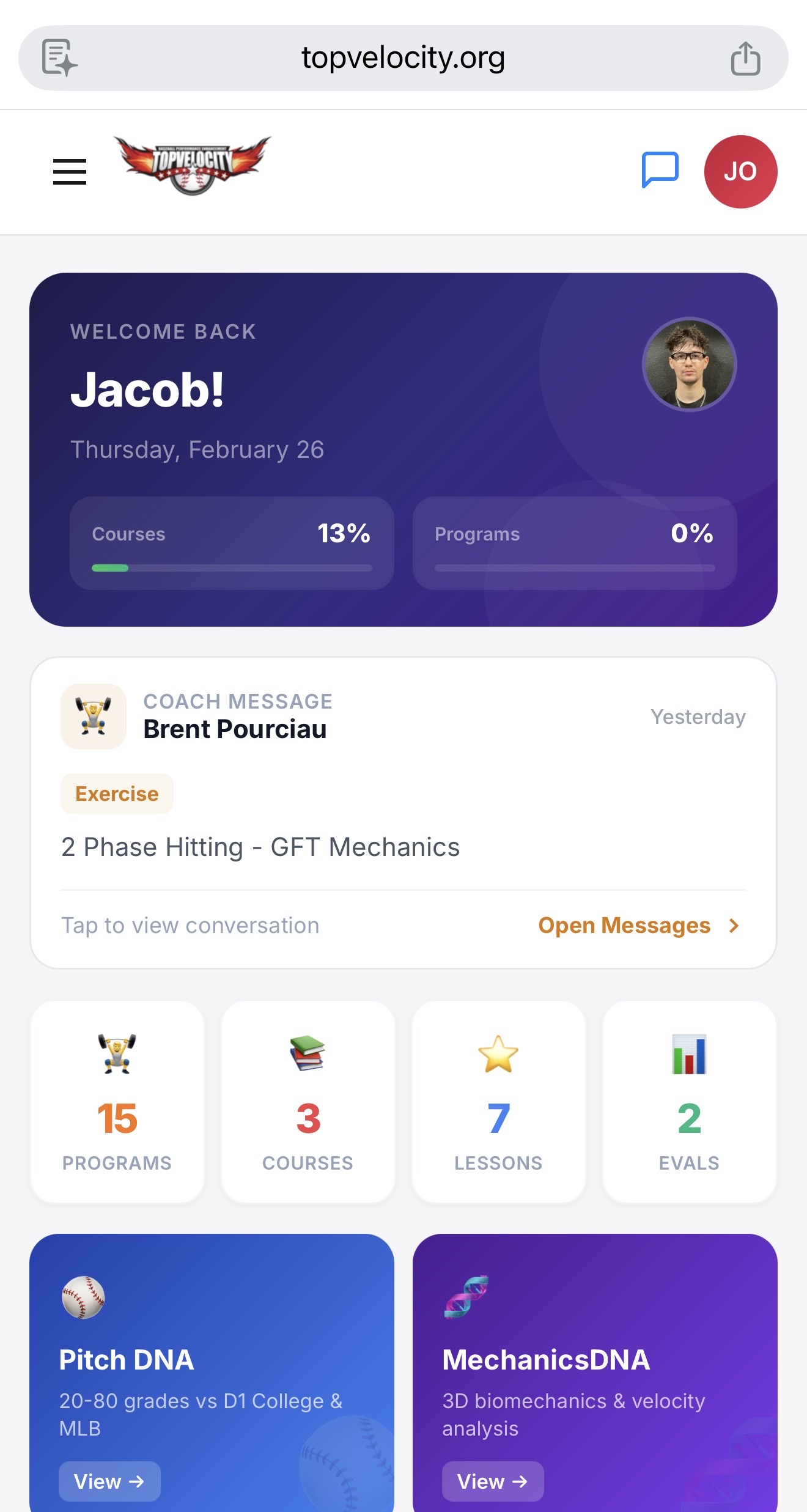
This guide explains what players, parents, coaches, travel teams, and academies should evaluate before choosing baseball training software. It also clarifies the difference between a player-facing training app and an organization-wide development system.
What Is a Baseball Player Development Platform?
A baseball player development platform is a digital system that helps organize an athlete’s development process. Instead of keeping evaluations in one place, workouts in another, videos on a phone, and coaching notes in text messages, the platform creates a connected record of training and progress.
For an individual athlete, the system should answer three practical questions:
- What should I work on today?
- Why is this training appropriate for me?
- How will I know whether I am improving?
For coaches and organizations, the questions are broader: Which athletes need attention? Are assigned programs being completed? What evaluation data is available? Can staff communicate consistently while preserving each player’s history?
Player Portal vs. Organization Portal
Baseball Player Portal
A player portal is designed around the individual athlete. Common functions include access to assigned training programs, workout schedules, instructional courses, evaluations, performance records, and coaching communication.
The TopVelocity baseball Player Portal and training app is the appropriate starting point for individual players and families. Its current registration page describes a unified dashboard for training programs, courses, evaluations, biomechanics tools, pitch information, arm-health tracking, scheduling, and coaching communication. Availability can vary by membership or assigned program, so players should review the current offer before registering.
Baseball Organization Portal
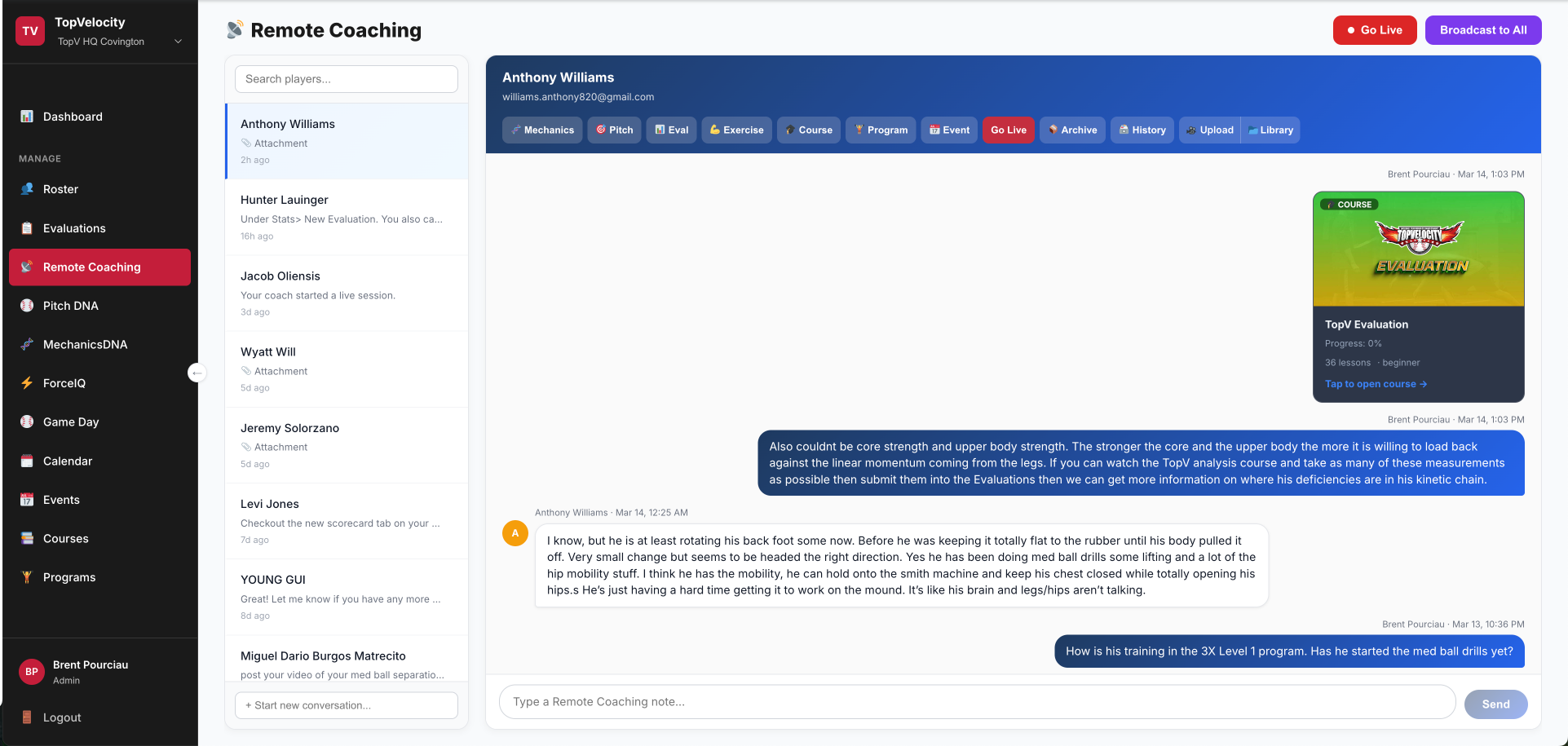
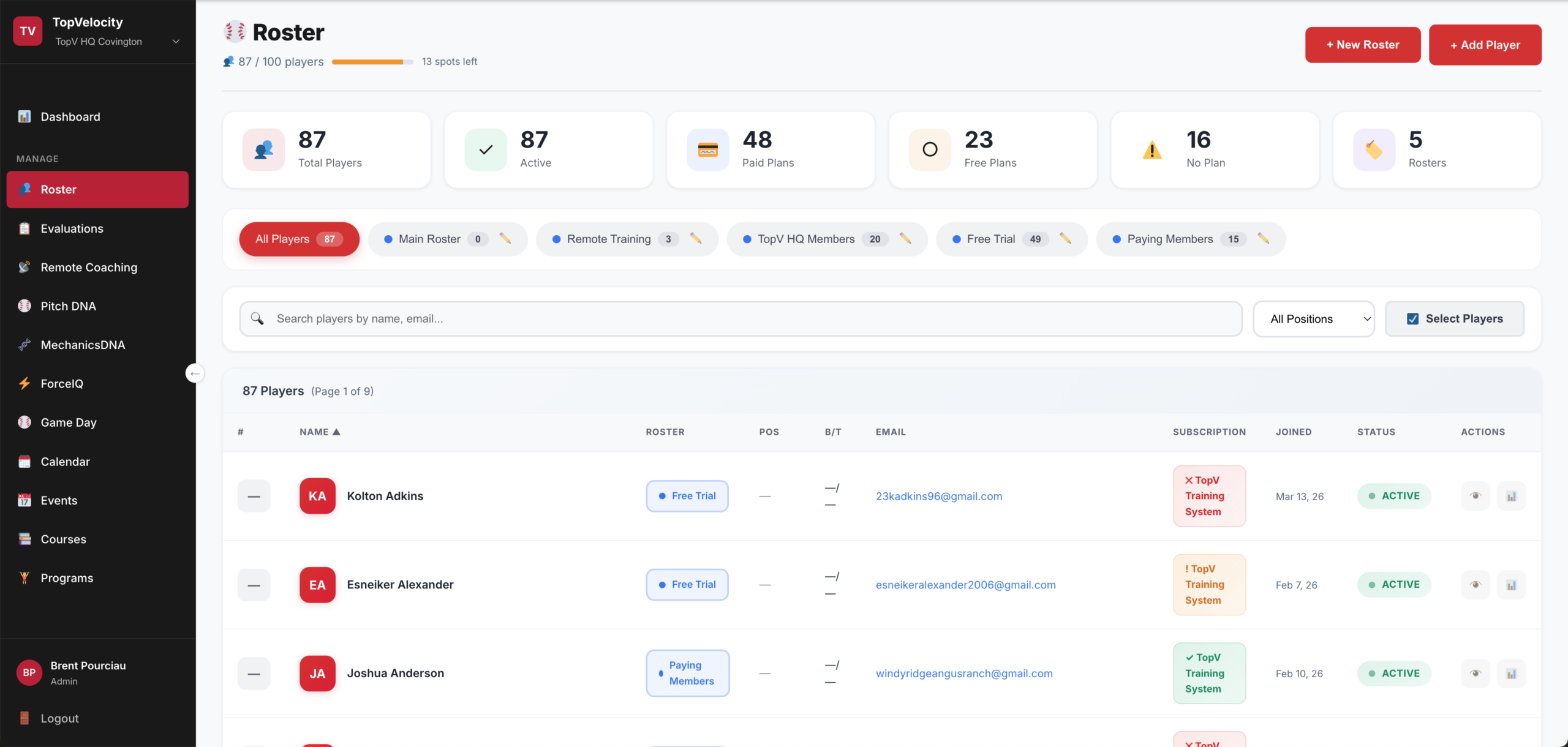
An organization portal is built for academies, facilities, travel programs, teams, and coaching businesses. It should allow staff to manage multiple athletes through consistent evaluations, program assignments, progress records, roles, and communication workflows.
The TopVelocity Organization Portal and baseball player development software is intended for organizations that need to deliver a structured development system across a roster rather than manage one athlete at a time. Facility owners weighing the subscription against membership income can read how facility membership pricing covers the platform cost.
Facility owners comparing operational and development tools can use our baseball academy software feature checklist to evaluate roster, training, communication, biomechanics, progress-tracking, and business workflows.
Seven Features Worth Evaluating
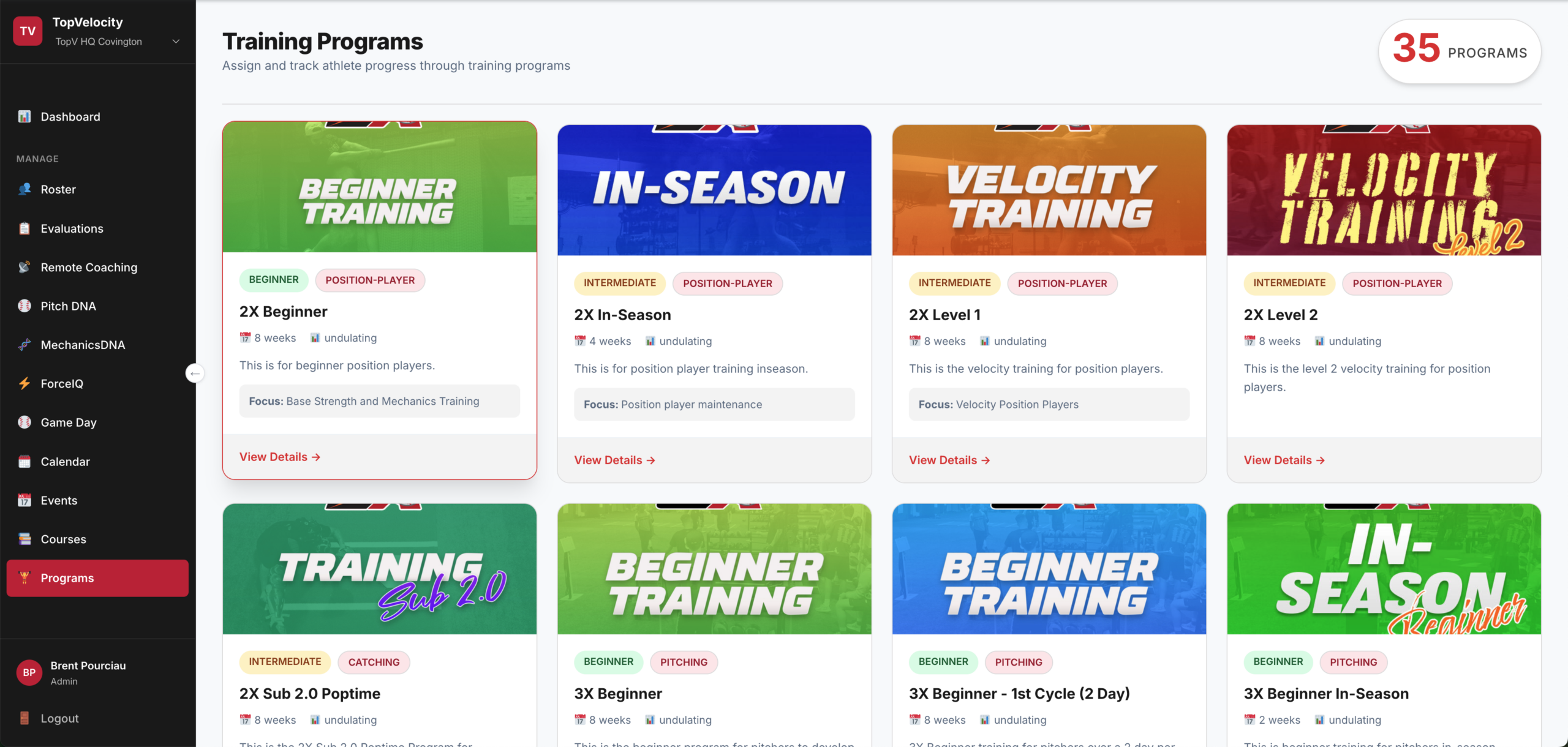
1. Structured Training Programs
Look for a clear progression rather than a library of disconnected drills. Athletes should understand where they are in a program, what comes next, and how training changes across development phases.
2. Athlete Evaluations
Evaluations should lead to useful decisions. A platform is more valuable when results can be connected to program assignments, coaching priorities, or follow-up testing instead of being stored as isolated reports.
3. Progress Tracking
Useful tracking focuses on relevant baseball and training measures over time. Coaches and athletes should be able to review past information, recognize trends, and distinguish a single good day from sustained improvement.
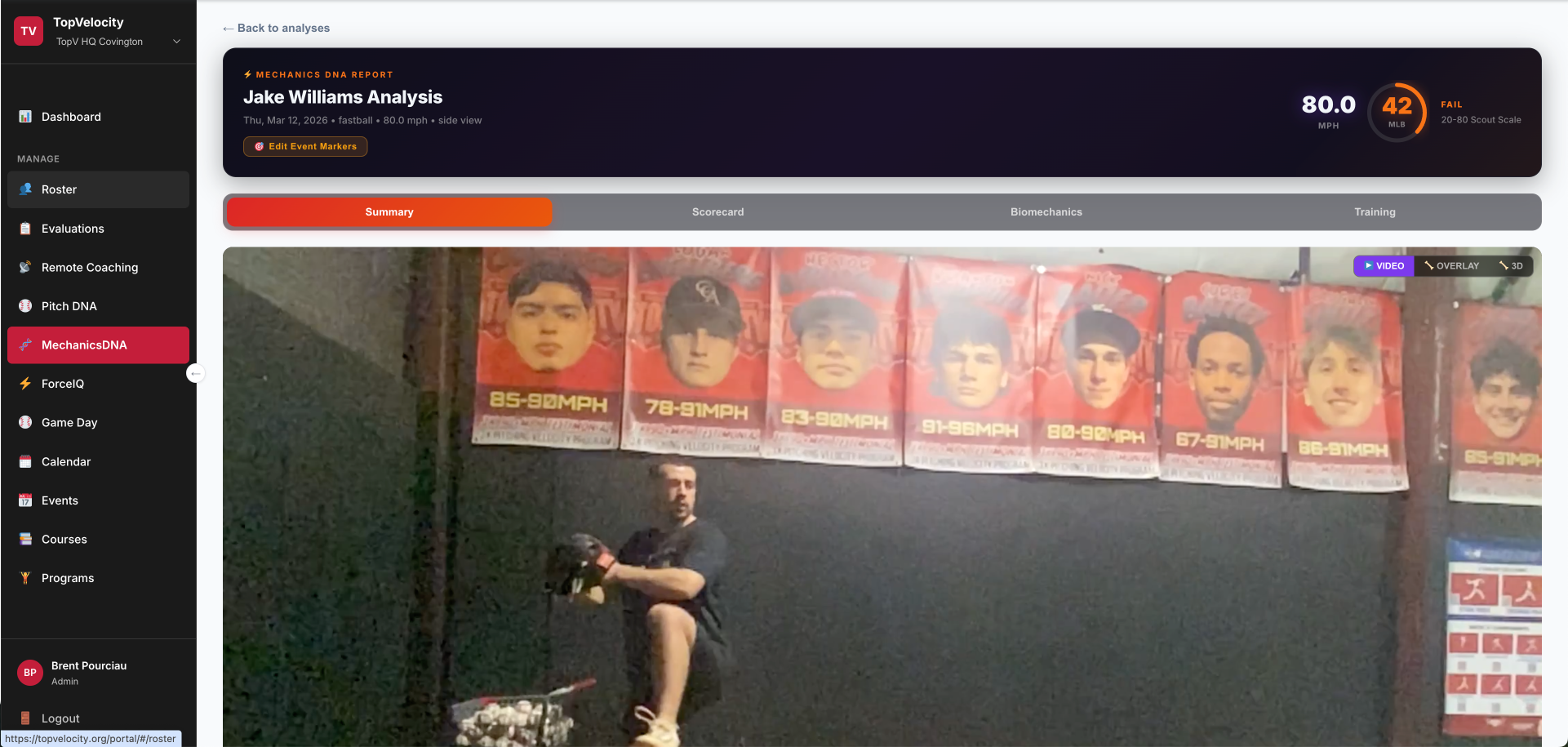
4. Video and Biomechanics Workflow
Video can support coaching when it is organized, comparable, and connected to specific training priorities. When a platform includes biomechanics analysis, users should understand what is measured, how the result is produced, and how a coach will interpret it. Automated output should support—not replace—qualified coaching judgment.
5. Communication and Accountability
Training plans work only when athletes know what to do and coaches can follow up. Look for assignments, completion tracking, notes, feedback, and an understandable communication path.
6. Arm-Health and Workload Context
A training platform can help athletes record workload and wellness information, but software is not a medical diagnosis. Players experiencing pain or injury symptoms should consult an appropriate licensed healthcare professional. Responsible systems make that boundary clear.
7. Organization Controls
Academies and teams should evaluate roster management, staff permissions, player records, program assignment, reporting, and privacy practices. The right system should make the development process more consistent without forcing coaches to duplicate information across spreadsheets and messaging apps.
Questions to Ask Before Choosing Baseball Training Software
- Is the platform designed specifically for baseball development or adapted from generic fitness software?
- Can players see a clear daily and weekly training path?
- Can coaches assign programs and review progress?
- Are evaluations connected to actionable training priorities?
- Can an athlete’s history remain organized across seasons?
- Does the platform distinguish coaching guidance from medical advice?
- Can an organization control staff roles and athlete access?
- Is pricing based on individual athletes, roster size, locations, or service level?
- Can the provider demonstrate the workflow before purchase?
How Camps and Digital Training Can Work Together
Digital training and in-person coaching serve different purposes. A portal can organize preparation, daily assignments, communication, and follow-up. An in-person camp can provide concentrated coaching, live observation, and a shared training environment.
Players looking for an in-person option can review the 3X Velocity Camp. The strongest approach is not simply adding more training; it is connecting evaluation, instruction, a structured plan, and consistent follow-through.
Which TopVelocity Option Fits You?
- Individual player or parent: Start with the Player Portal registration page and review the current training access and membership options.
- Academy, facility, travel team, or coaching organization: Review the Organization Portal and request a demonstration of the roster and development workflow.
- Player seeking in-person instruction: Review upcoming 3X Velocity Camp options and determine how portal-based training can support preparation and follow-up.
Frequently Asked Questions
Is a baseball training app the same as a player development platform?
Not always. A training app may provide workouts or videos. A player development platform typically connects training with evaluations, progress records, feedback, and longer-term planning.
Can a baseball academy use the same system as an individual player?
The athlete experience may share some features, but organizations usually require additional roster, staff, assignment, and reporting controls. That is why separate player and organization portals are useful.
Does software replace an experienced baseball coach?
No. Software can organize information, improve communication, and support consistent delivery. Coaching judgment remains essential for interpreting an athlete’s needs and adjusting training appropriately.
What is the first step?
Define whether you need an individual training experience or an organization-wide management system. Then review the current platform, ask for a demonstration when appropriate, and confirm that its workflow matches how you train athletes. Organizations that are ready to start can follow the first 30-day launch plan.